
checking out with BitPay on Newegg is easy and secure. Orders fully paid by BitPay are final and cannot be returned for BitPay or hard currency. All returns will be made in the form of a Newegg Gift Card. All returns follow our return policy.
Restrictions
Newegg does not accept BitPay for the following types of purchases:
- Pick Up orders
- Subscription orders
- Pre-orders
- Return shipping labels
- Newegg Mobile app
Checkout with BitPay
The pay with bitpay option is only available on desktop currently.
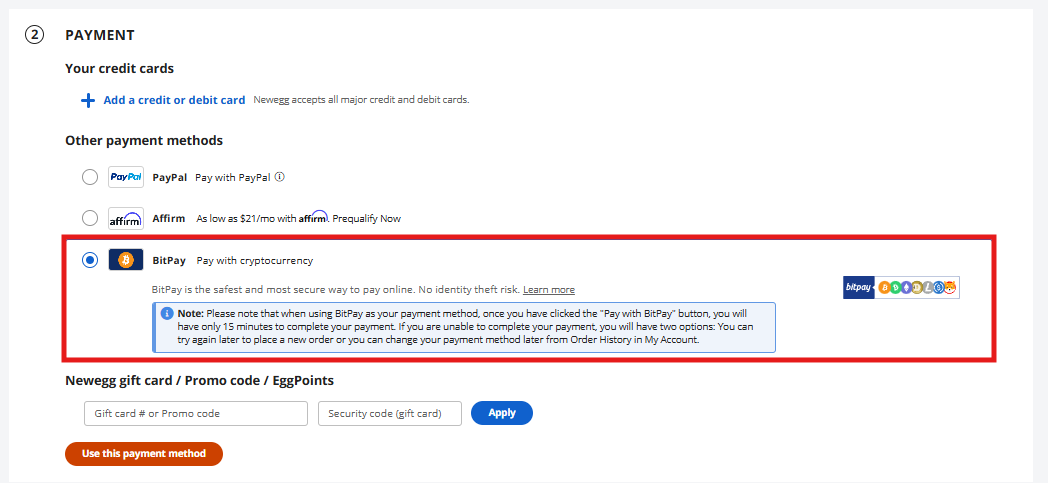
- During Payment section of checkout select the BitPay option then proceed to pay with bitpay.
- Begin payment and select your wallet. i.e. BitPay.
-
A pop-up window will appear prompting you to log in to your BitPay account to complete the payment.
What currency options do I have to pay a BitPay invoice?
To complete your payment, you can select from the following currency options which BitPay supports: Bitcoin (BTC), Bitcoin Cash (BCH), Ethereum (ETH), Dogecoin (DOGE), and 4 USD-pegged stablecoins (GUSD, USDC, PAX, and BUSD).
Does BitPay support altcoins?
Currently, BitPay operates as a cryptocurrency payment processor only. You can find announcements for new cryptocurrency additions on BitPay here.